Reports and printing
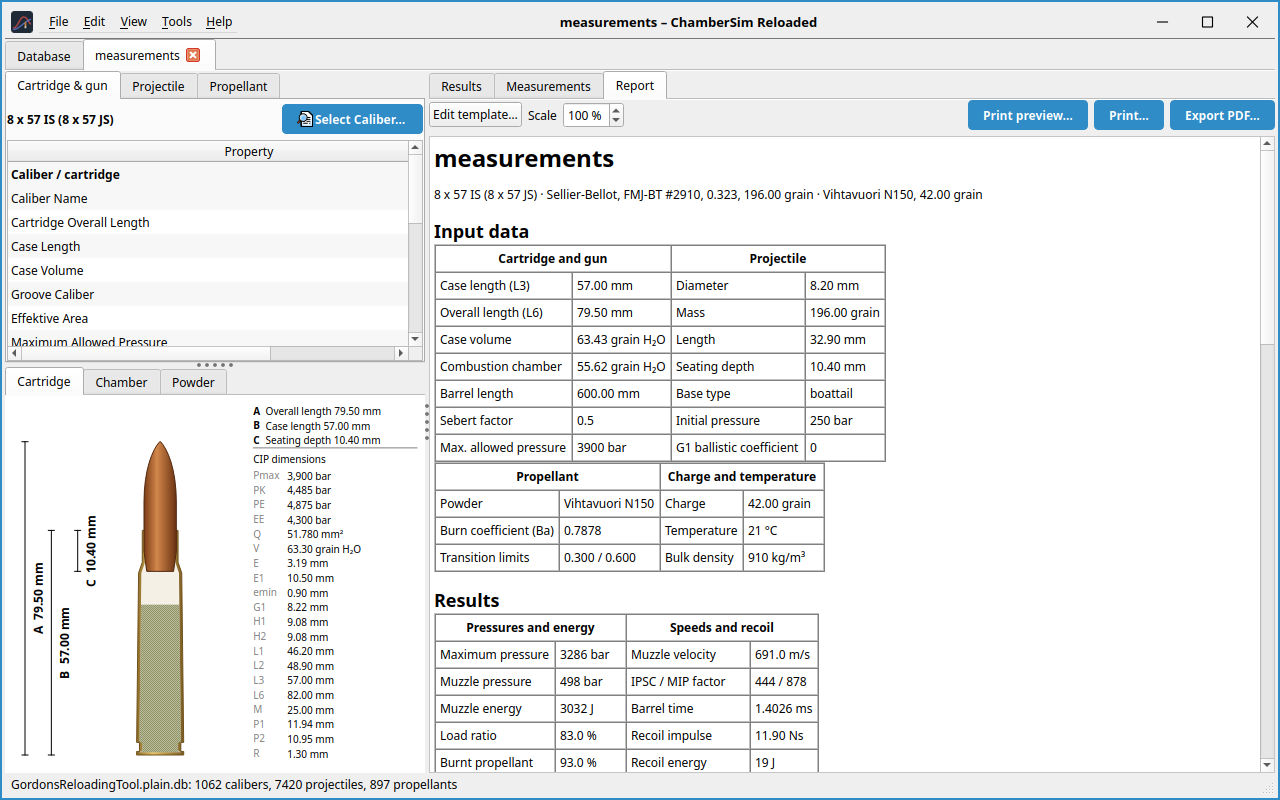
The Report tab shows a formatted report of the load (Figure 4). With File → Print preview…, Print… and Export report as PDF… you output it. The report scale is adjustable.
Report templates
In the settings, Report template… opens the template editor. A template
is text with placeholders of the form ~~source.property~~ or
~~source.property("#.00")~~ (with a number format). Use Insert value
to pick a placeholder and Reset to default to restore the standard
template. The report of the Measurements tab includes only the selected
series.
The twist length and the bullet jump (the free run before the lands) are
available as ~~work.twistlen~~ and ~~work.gjump~~; the default template
shows them next to the barrel length.
The default template ends with a footer that names the program version
(placeholder ~~app.version~~).